
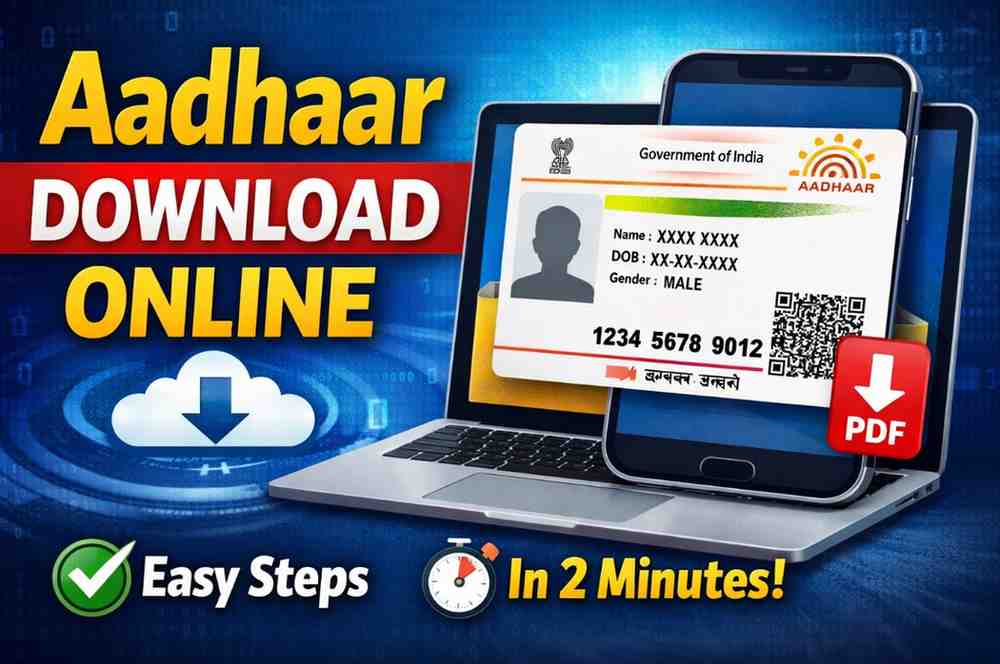
e-Aadhaar is the electronic version of your Aadhaar card. It looks the same as the physical card but exists as a password-protected PDF file that you download online. This digital Aadhaar is treated as officially valid by government offices, banks, and other services, just like the physical card.
To open this PDF file, you need a password. The password is usually your first four name letters (CAPITAL) + your birth year. For example, if your name is Deepak and birth year is 1994, the password will be DEEP1994.
The main benefit of e-Aadhaar is convenience. You can download it on your phone or laptop and use it whenever you need identity or address proof. If you lose your physical Aadhaar, the e-Aadhaar can serve immediately as a backup. Since it is a digital document issued by UIDAI, it is widely accepted.
Whether you are applying for services, opening a bank account, uploading documents, or traveling for official work, having the e-Aadhaar ready can save time. It is free to download from the official UIDAI portal, so everyone with a registered Aadhaar can access it anytime.
Official Website to Download Aadhaar
The safest and official place to download your e-Aadhaar is the UIDAI’s MyAadhaar portal. The Unique Identification Authority of India (UIDAI) operates this portal and it offers a direct way to get your Aadhaar PDF online.
To start the process, you must visit the UIDAI Get Aadhaar page or go directly to myaadhaar.uidai.gov.in. This portal will let you choose how you want to download your Aadhaar.
On this page you will see a link called “Download Aadhaar” under the ‘My Aadhaar’ section. Click this link to begin the download process. The site asks you for basic information like your Aadhaar number, Enrolment ID, or Virtual ID depending on what you have.
It is important to use only the official website. Many fake portals copy the design of UIDAI sites to steal personal information. Always check the website address carefully before entering your details.
The official site is free to use, secure, and provides the most updated process for Aadhaar downloads. If you prefer, there are other official options like the mAadhaar app or government apps like DigiLocker, but the portal remains the most direct way.
What Information You Need Before Downloading
Before you download e-Aadhaar online, make sure you have these important details ready:
- Your 12-digit Aadhaar number or
- Your 28-digit Enrolment ID (EID), with date and time, or
- Your 16-digit Virtual ID (VID).
Your Aadhaar number is a unique 12-digit number that identifies you as a resident of India. Make sure it is entered correctly, without spaces.
If you do not know your Aadhaar number, you can use your Enrolment ID or Virtual ID. These numbers are printed on the Aadhaar acknowledgment slip or generated through UIDAI services.
Another key requirement is your registered mobile number. UIDAI will send a one-time password (OTP) to this number to confirm that you are the rightful owner. Without the registered mobile number or access to its OTP, you cannot complete the online download.
Finally, you will need the captcha or security code that appears on the screen while filling the form. This is to ensure requests are made by people and not automatic systems.
When all these details are ready, you can go through the download process smoothly without delays or errors.
Step-by-Step to Download Aadhaar with Aadhaar Number
To download your e-Aadhaar using your 12-digit Aadhaar number, follow these steps:
- Go to myaadhaar.uidai.gov.in and click “Download Aadhaar” under ‘My Aadhaar’.
- Choose the option Aadhaar Number.
- Enter your 12-digit Aadhaar number and the security captcha shown on screen.
- Click Send OTP. You will get the OTP on your registered mobile number.
- Enter the OTP and click “Verify and Download”.
- Your e-Aadhaar PDF will start downloading instantly.
After the download, you must open the PDF using the password. This password is usually your first four letters of your name in CAPITALS + your birth year.
This method is the most common and direct way to download an e-Aadhaar. It uses your Aadhaar number and requires the OTP sent to your mobile. Always check that the mobile number is linked to your Aadhaar before you start.
This process takes only a few minutes if your details are correct and your mobile receives the OTP quickly.
Downloading Aadhaar with Enrolment ID (EID)
If you do not yet have your Aadhaar number, you can still download your e-Aadhaar using the Enrolment ID (EID). The EID is a 28-digit number that you receive at the time of Aadhaar registration.
To use this method:
- Visit myaadhaar.uidai.gov.in and choose Download Aadhaar under ‘My Aadhaar’.
- Select Enrolment ID (EID) option.
- Enter all 28 digits of your EID, the enrolment date and time, and the captcha code.
- Click Send OTP and check your registered mobile phone for the message.
- Enter the OTP and click “Verify and Download”.
- Your e-Aadhaar will be downloaded as a PDF file.
This method is especially useful for people who have applied for Aadhaar but have not yet received the final Aadhaar number. The EID is printed on the enrolment or acknowledgement slip.
Make sure your enrolment date and time are entered exactly as written on the slip. Even one wrong digit can cause the download to fail.
This method works well if you keep your enrolment slip safe after applying for Aadhaar.
Downloading Using Virtual ID (VID)
UIDAI also provides an option to download e-Aadhaar with a Virtual ID (VID). The VID is a 16-digit temporary code that masks your real Aadhaar number.
To download using VID:
- Go to myaadhaar.uidai.gov.in and click Download Aadhaar.
- Select Virtual ID (VID).
- Enter your 16-digit VID, full name, PIN code, and captcha code.
- Click Send OTP.
- Enter the OTP received on your registered mobile number.
- Click “Verify and Download” to get your e-Aadhaar PDF.
The VID is useful if you want to keep your Aadhaar number private or if you prefer not to use the real 12-digit number online. The VID can be generated on the UIDAI portal before you start the download process.
This method is widely used because it provides extra privacy. The downloaded PDF file is exactly the same, and it opens with the same password format as usual.
What Happens After Downloading
Once your e-Aadhaar PDF has been downloaded, you can save it on your device or print it. This digital copy is secure and legally valid just like the physical card.
To open the file, type the password. Remember the password is usually the first four letters of your name in CAPITAL letters followed by your birth year (for example AMIT1990).
You can show the e-Aadhaar PDF at banks, offices, or government places as identity and address proof. Most places accept the printed version too, as long as it is the official e-Aadhaar from UIDAI.
If you lose your phone or file, you can download it again anytime using the same steps as before. The PDF is free to download each time from the official portal.
Always keep your Aadhaar updated and the mobile number linked. The OTP process depends on your registered number, and if it is not updated, you may not receive the OTP.
Common Errors and How to Fix Them
While downloading Aadhaar, you might face some common issues. Here are simple solutions:
- Wrong OTP: If you don’t get the OTP, check if the number is linked to your Aadhaar. If not, update it first.
- Incorrect Aadhaar/EID/VID: Check the number carefully before submitting. Even one digit wrong can fail the download.
- Security Code Error: If the captcha is incorrect, refresh it and try again.
- No Register Mobile Number: You cannot proceed without a registered number, so visit the nearest Aadhaar centre to update it.
If you still face errors, clear your browser cache or try a different browser or device.
Other Official Ways to Get Aadhaar (Apps)
Besides the website, there are official apps that help you download Aadhaar:
- mAadhaar App: This app by UIDAI lets you add your Aadhaar profile and access your e-Aadhaar without a browser.
- DigiLocker: This government app stores your Aadhaar securely online. You can view and download it from the app.
These apps are safe and backed by the Government of India. They provide an easy alternate way if you prefer mobile access over a website.
Tips to Keep Your Aadhaar Safe
To protect your Aadhaar data:
• Never share your 12-digit Aadhaar number, EID, or VID with strangers.
• Always use the official UIDAI portal or official apps.
• Keep your registered mobile number updated to receive OTPs.
• Save the downloaded PDF in secure storage or cloud backup.
These steps help you use and download your Aadhaar safely without putting personal data at risk.