
Your Aadhaar card is more than just a 12-digit identity number it is the key to accessing banking services, government subsidies, mobile connections, and digital verification across India. However, the true potential of Aadhaar is unlocked only when it is linked to an active mobile number that you personally use.
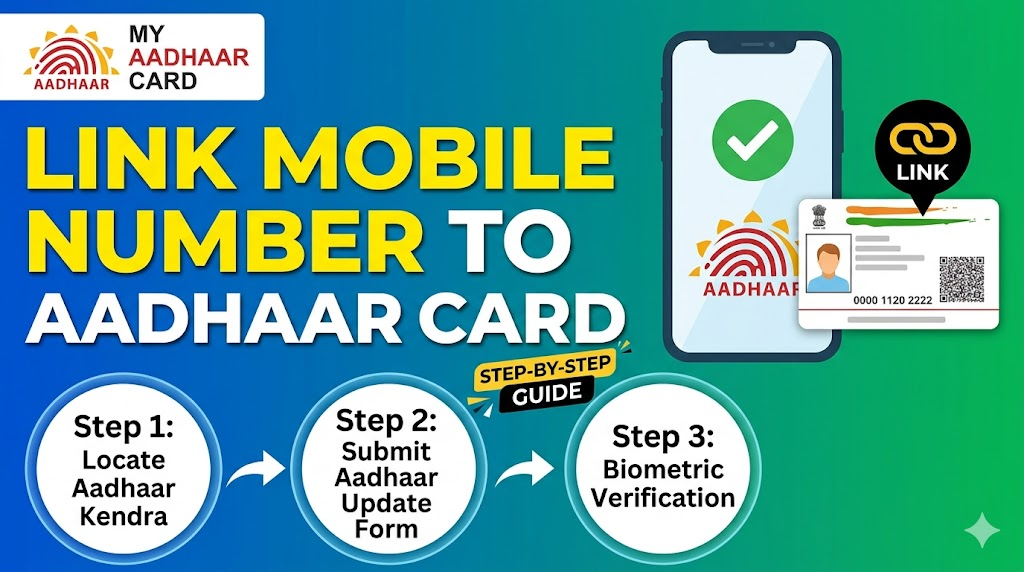
The importance of linking your mobile number to Aadhaar cannot be overstated. Without a registered mobile number, you cannot:
- Download your e-Aadhaar from the UIDAI portal
- Update your address or other details online
- Receive OTPs for banking transactions
- Verify your identity for KYC purposes
- Link Aadhaar with PAN for income tax filing
As of 2026, the process of linking or updating a mobile number with Aadhaar has become significantly easier, thanks to new digital initiatives by UIDAI . This comprehensive guide will walk you through every method, requirement, and step to successfully link your mobile number with your Aadhaar card.
Aadhaar Update Online 2026: Address, Name & DOB Correction Guide
Why Mobile Number is Important for Aadhaar
Your registered mobile number serves as the primary authentication tool for virtually all Aadhaar-related services. Here is why it matters:
OTP verification for services is the most critical function. Whenever you attempt to:
- Access the myAadhaar portal
- Update your address online
- Download your e-Aadhaar
- Check update status
- Authenticate for banking KYC
An OTP is sent to your registered mobile number. Without access to this number, you cannot complete any of these actions .
Additionally, your linked mobile number enables:
- SMS alerts for DBT (Direct Benefit Transfer) credits
- Notifications about Aadhaar update status
- Security alerts if someone tries to access your Aadhaar
- Verification for new mobile SIM connections
- Authentication for digital life certificates for pensioners
UIDAI strongly recommends providing a mobile number during Aadhaar enrolment, stating that “it is always recommended to provide a mobile number and email id so that you get updates regarding your Aadhaar application status and can get a number of services based on Aadhaar through OTP-based authentication” .
Check Aadhaar Status Online 2026: UIDAI Tracking Guide
Can You Link Mobile Number with Aadhaar Online? (2026 Update)
This is the most common question, and the answer has changed significantly in 2026. Here is the clear explanation:
As of 2026, YES—you can now update your mobile number online using the new Aadhaar mobile app .
Previously, mobile number updates strictly required an in-person visit to an Aadhaar Seva Kendra with biometric verification. However, UIDAI has launched a new Aadhaar app that now allows users to change their Aadhaar-linked mobile number directly from their smartphone .
However, there are important distinctions:
| Method | Availability | Requirements |
|---|---|---|
| Online via Aadhaar App | Available now (2026) | Smartphone, face verification, OTP |
| Online via myAadhaar Portal | Not available (address only) | N/A for mobile update |
| Offline at Aadhaar Seva Kendra | Always available | Biometric verification |
| Via India Post/Postman | Available in select locations | Biometric verification at home |
According to UIDAI’s official FAQ, “Mobile update is not permitted through online mode” on the web portal . However, the new mobile app has changed this paradigm. The app uses “OTP-based authentication and face verification” to enable remote mobile number updates .
Who Can Link or Update Mobile Number in Aadhaar
The eligibility criteria for mobile number linking are straightforward:
You can update your mobile number if:
- You have a valid Aadhaar number (12-digit UID)
- You are the Aadhaar holder (not updating for someone else)
- You have access to the new mobile number you want to link
- You can complete biometric OR face verification (depending on method)
Special cases:
- Lost old mobile number: Even if your old registered number is no longer active, you can still update your mobile number by visiting an Aadhaar centre and completing biometric verification .
- Children (Baal Aadhaar): Parents/guardians can update the mobile number for minors at an Aadhaar Seva Kendra.
- NRIs: Mobile number updates for Non-Resident Indians may require additional verification.
Important limitation from UIDAI: “UIDAI allows only one mobile number to be linked with a single Aadhaar card at a time” . You cannot link multiple mobile numbers to the same Aadhaar.
Appointment Booking
Requirements for Mobile Number Linking
Before you begin the process, ensure you have the following:
Essential requirements:
- Aadhaar number (12-digit UID) – you should know or have your Aadhaar card
- Active mobile number – the new number you want to link must be active and able to receive SMS/OTP
- Identity verification method – either biometrics (fingerprints/iris) at a centre OR face verification via the app
- Payment method – for the update fee (digital payment for online, cash/card for offline)
For online update via app:
- Smartphone (Android or iOS) with camera
- Stable internet connection
- Latest version of Aadhaar app installed
For offline update at centre:
- Original Aadhaar letter or e-Aadhaar printout
- No additional documents are typically required, as biometric verification serves as identity proof
Documents Required for Mobile Number Update
One of the simplest aspects of mobile number linking is that generally, no additional documents are required beyond your Aadhaar itself .
Here is the detailed breakdown:
| Update Method | Documents Required |
|---|---|
| Online via Aadhaar App | Aadhaar number only (face verification replaces documents) |
| Offline at Aadhaar Seva Kendra | Aadhaar card/number (biometric verification replaces documents) |
| Via India Post | Aadhaar number (biometric verification by postman) |
Why no documents? Mobile number updates are considered a demographic update that does not change your core identity information (name, address, DOB). UIDAI relies on biometric or face verification to confirm your identity rather than documentary proof.
Exception: If you are updating your mobile number along with other demographic details (like name or address), you will need to provide the supporting documents for those changes .
According to UIDAI, “You can update your mobile number by visiting any Aadhaar Enrolment centre… for which no document or old mobile number is required” .
PAN Aadhaar Linking 2026: Step-by-Step Guide, Fees, Last Date & Status Check
Official Authority for Aadhaar Services
The Unique Identification Authority of India (UIDAI) is the sole statutory authority responsible for Aadhaar issuance, management, and updates.
Official channels for Aadhaar services:
| Channel | Official Access Point |
|---|---|
| Web Portal | https://myaadhaar.uidai.gov.in |
| Mobile App | Aadhaar App (official) / mAadhaar |
| Toll-Free Helpline | 1947 |
| Email Support | help@uidai.net.in |
Always ensure you are using official channels. UIDAI warns against fake websites and unauthorized agents promising quick updates for a fee. The myAadhaar portal is described by UIDAI as “a login based portal containing an array of Aadhaar related services” where “an Aadhaar number holder may visit by clicking on https://myaadhaar.uidai.gov.in/” .
Methods to Link Mobile Number with Aadhaar
As of 2026, there are three primary methods to link or update your mobile number with Aadhaar:
Method 1: Online via Aadhaar Mobile App (NEW – 2026)
This is the most convenient method, launched recently by UIDAI. The feature allows users to “request a mobile number change anytime, anywhere using OTP-based authentication and face verification” .
Method 2: Offline at Aadhaar Seva Kendra (Traditional)
This is the standard, always-available method. You visit an authorized enrolment centre, fill a form, provide biometric verification (fingerprints/iris), and pay the fee.
Method 3: Via India Post / Postman (Select Locations)
In some cities and towns, UIDAI has partnered with India Post to offer home-based Aadhaar update services. “A trained postman or a postal officer visits your home or meets you at the pickup office to process the mobile number update” . Biometric authentication is performed using a mobile device.
Method Comparison:
| Feature | Online (App) | Offline (Centre) | India Post |
|---|---|---|---|
| Travel required | No | Yes | No (they come to you) |
| Verification type | Face + OTP | Fingerprint/Iris | Biometric (mobile device) |
| Processing time | Up to 30 days | 5-10 days | 5-10 days |
| Fee | ₹75 | ₹50-75 | ~₹50 |
| Availability | Nationwide (app download) | Nationwide | Select locations only |
Step-by-Step: Link Mobile Number at Aadhaar Seva Kendra (Offline)
If you prefer the traditional offline method or do not have a smartphone, follow these steps:
Step 1: Locate the nearest Aadhaar Seva Kendra
- Visit the official UIDAI website
- Use the Bhuvan Aadhaar portal to find centres: https://bhuvan-app3.nrsc.gov.in/aadhaar/
- Look for centres offering “Mobile Number Update” service
Step 2: Visit the centre in person
- Carry your Aadhaar card or a printout of your e-Aadhaar
- It is recommended to visit early morning to avoid long queues
Step 3: Fill the Aadhaar Update/Correction Form
- Request the Aadhaar Update Form from the operator
- Enter your 12-digit Aadhaar number
- Enter the new mobile number you want to link (carefully – double-check the digits)
- The centre operator will enter the details into the system
Step 4: Complete Biometric Verification
- This is the most critical step for identity confirmation
- You will need to provide:
- Fingerprints of all ten fingers (scanned)
- Iris scan (both eyes)
- The operator will verify that your biometrics match the data on UIDAI’s database
Step 5: Pay the Update Fee
- The standard fee for demographic updates (including mobile number) is ₹50 plus GST
- Some centres may charge a nominal convenience fee
- Payment can be made via cash, card, or digital wallet (varies by centre)
Step 6: Collect the Acknowledgement Slip
- The operator will provide an acknowledgement slip
- This slip contains your Update Request Number (URN) – a 14-digit unique identifier
- IMPORTANT: Keep this slip safe. You cannot track your update status without the URN
Step 7: Track Status and Wait for Confirmation
- Mobile number updates typically take 5-10 working days to reflect
- You will receive an SMS confirmation on your new mobile number once the update is successful
- If you do not receive confirmation within 15 days, use your URN to check status online
Aadhaar OTP Not Received? Reasons & Quick Fix 2026 Guide
Biometric Verification Process Explained
The biometric verification process is the cornerstone of Aadhaar security. Here is how it works:
What is captured:
- Fingerprints: All ten fingers are scanned using a certified fingerprint scanner. The quality of fingerprints matters – dry, wet, or worn-out fingerprints may need multiple attempts.
- Iris scans: Both eyes are scanned using an iris recognition camera. This provides a secondary biometric identifier.
- Photograph: A live photograph is captured for verification purposes.
Why biometrics are required for mobile updates: UIDAI treats mobile number changes as sensitive because “mobile numbers are used for numerous authentication flows and OTPs” . Biometric verification ensures that only the genuine Aadhaar holder can request this change, preventing fraud.
What happens during biometric verification:
- The operator scans your fingerprints (usually starting with the left hand)
- The system matches your fingerprints against UIDAI’s Central Identities Data Repository (CIDR)
- If fingerprints are not readable (due to injury, age, or occupation), iris scans are used as an alternative
- For individuals unable to provide any biometrics, UIDAI has exception handling procedures
Time required: Biometric verification typically takes 2-5 minutes if fingerprints are clear.
Aadhaar Mobile Number Update Fees (2026)
Understanding the standard charges helps you avoid overpaying:
| Service Type | Fee (in ₹) | GST | Total (approx) |
|---|---|---|---|
| Online via Aadhaar App | 63 | 12 (18%) | 75 |
| Offline at Aadhaar Seva Kendra | 50 | 9 (18%) | 59 |
| India Post (where available) | 50 | 9 (18%) | 59 |
| Biometric update (any method) | 100 | 18 | 118 |
Key points about fees:
- First-time linking during enrolment: FREE – no charge for providing mobile number during initial Aadhaar enrolment
- Post-enrolment updates: Fee applies whenever you update or change your mobile number after Aadhaar is issued
- Multiple updates in one request: If you update your mobile number along with address or other details, you pay only once (the demographic update fee)
- Refunds: If you cancel an online request before processing, the amount is refunded within 21 days
Important 2026 update: As of November 2025, UIDAI revised its fee structure. According to recent reports, “₹75 for demographic changes (name, address, date of birth, etc.) and ₹125 for biometric updates” . The online document update is free until June 14, 2026 .
How Long Does Mobile Number Update Take
The processing time varies by method and verification requirements:
| Method | Minimum Time | Maximum Time | Average |
|---|---|---|---|
| Online via Aadhaar App | 7 days | 30 days | 15-20 days |
| Offline at Aadhaar Seva Kendra | 3 days | 15 days | 5-10 days |
| India Post | 5 days | 15 days | 7-10 days |
Official UIDAI statement: “Normally 90% of the update request is completed within 30 days” .
What affects processing time:
- Verification queue: High-volume periods (like financial year-end) may cause delays
- Biometric quality: Poor quality scans may require manual verification
- Document verification (if updating other details): Additional time for document checks
- Regional office involvement: Some requests flagged for manual review take longer
What to expect after submission:
- You receive an acknowledgement with URN immediately
- Within 24-48 hours, the status changes from “Submitted” to “Under Review”
- Once approved, you receive SMS confirmation on your new mobile number
- No physical Aadhaar letter is sent for mobile number updates alone. UIDAI states: “In case of update of mobile number/Email id, No letter will be sent, only the notification will be sent on the given mobile number/email id”
How to Check Mobile Number Linking Status
After submitting your request, you can track its progress using your Update Request Number (URN).
Online status checking method:
- Visit the official UIDAI website: https://myaadhaar.uidai.gov.in
- Click on “Check Update Status” (or navigate to the “Get Aadhaar” section)
- Enter your 14-digit URN (from the acknowledgement slip)
- Enter your 12-digit Aadhaar number
- Complete the captcha verification
- Click “Send OTP” – an OTP will be sent to your NEW mobile number (if the update is already processed) OR to your OLD number (if still pending)
- Enter the OTP and click “Submit”
- Your status will be displayed:
| Status | Meaning |
|---|---|
| Submitted | Request received, awaiting processing |
| Under Review | Being verified by UIDAI officials |
| Approved | Update has been approved, will reflect soon |
| Completed | Update successful – your mobile number is now linked |
| Rejected | Update failed (reason provided – usually document/biometric issue) |
Alternative method – Via mAadhaar App:
- Login to the mAadhaar or Aadhaar app
- Go to “My Aadhaar” section
- Select “Update Status”
- Enter URN and Aadhaar number
If you lost your URN: Unfortunately, without the URN, you cannot track your update status online. You would need to visit the same Aadhaar centre where you submitted the request and ask them to look up your request using your Aadhaar number.
How to Find If Mobile Number is Already Linked
Before requesting a new mobile number link, you should verify whether your current number is already registered with UIDAI.
Quick verification method:
- Visit the official UIDAI website: https://myaadhaar.uidai.gov.in
- Navigate to “My Aadhaar” → “Verify Email/Mobile Number”
- Enter your 12-digit Aadhaar number
- Enter the mobile number you want to verify
- Complete the captcha
- Click “Send OTP”
- Enter the OTP received on that mobile number
- Click “Verify OTP”
Results:
- Success message: “Your mobile number is verified with Aadhaar” → The number is already linked
- Failure/Error message: The number is NOT linked to this Aadhaar
Alternative method – TAFCOP Portal (for checking ALL numbers linked to your Aadhaar):
The Department of Telecommunications (DoT) has introduced the TAFCOP (Telecom Analytics for Fraud Management and Consumer Protection) portal. This portal shows all mobile numbers issued using your Aadhaar .
Procedure:
- Visit the TAFCOP portal (search “TAFCOP portal” on Google)
- Enter your mobile number
- Request OTP
- Enter received OTP
- View all mobile numbers associated with your Aadhaar
- If any listed numbers are incorrect or obsolete, initiate the removal process
Note: Currently, the TAFCOP portal is accessible only in Andhra Pradesh, Kerala, Rajasthan, Telangana, and Jammu & Kashmir .
Can You Link Mobile Number Without OTP?
This is a frequently asked question with a nuanced answer.
For verification of existing link: NO – you cannot verify if a number is linked without receiving an OTP on that number. The verification process explicitly requires OTP entry.
For updating to a new number: YES – you can update your mobile number even without access to your old registered number. Here is how:
- Offline method: Visit an Aadhaar Seva Kendra. “Even if your old number is not active, you can still update your mobile number by visiting an Aadhaar centre and completing biometric verification. Access to the old number is not mandatory for offline update” .
- Online method via app (NEW): The new Aadhaar app uses “face verification” in addition to OTP, potentially allowing updates even without old number access .
What about OTP-less Aadhaar verification for service providers? For businesses and service providers (banks, telecom companies), alternative verification methods exist without requiring customer OTP:
- Aadhaar Paperless Offline e-KYC: Download an XML file from UIDAI website, secured with a password
- QR Code Verification: Scan the QR code on Aadhaar card to retrieve demographic information
- Biometric Authentication: Use fingerprint/iris scanners at point of service
However, for individual Aadhaar holders wanting to update their own mobile number, OTP (or biometric at centre) is required.
Common Problems During Mobile Linking
Many users face issues during the mobile number linking process. Here are the most common problems:
Problem 1: OTP Not Received
Symptoms: You request an OTP for verification but never receive it.
Causes:
- Network congestion or tower issues
- Wrong mobile number entered
- Mobile number not yet active (new SIM)
- Do Not Disturb (DND) services blocking UIDAI SMS
Problem 2: Biometric Mismatch at Centre
Symptoms: The fingerprint scanner repeatedly fails to read your fingerprints.
Causes:
- Dry or wet fingers
- Worn-out fingerprints (common in manual laborers, elderly)
- Temporary cuts or injuries on fingers
- Scanner calibration issues
Problem 3: Update Request Rejected
Symptoms: After waiting days or weeks, status shows “Rejected”.
Common rejection reasons:
- Biometric verification failed (poor quality scans)
- Multiple update attempts within short period
- Name/DOB mismatch detected during verification
Problem 4: Already Linked to Another Number
Symptoms: You are told that your Aadhaar already has a registered mobile number.
Causes: You may have provided a mobile number during enrolment (family member’s number, agent’s number, etc.)
Problem 5: “Mobile Number Already Registered” Error
Symptoms: When trying to link a number, system says it is already registered with another Aadhaar.
Causes: UIDAI allows only one Aadhaar per mobile number. This number may be linked to a family member’s Aadhaar.
Solutions to Mobile Linking Issues
Here are proven fixes for common problems:
Solution for OTP Not Received:
- Wait 2-5 minutes – Network delays are common
- Check your mobile signal – Move to an area with better reception
- Disable DND temporarily – Some SMS aggregators are blocked by DND
- Try the “Resend OTP” option – Available on most UIDAI pages
- Use TOTP instead – If you have the mAadhaar app installed, you can generate a Time-based OTP without SMS
- Alternative: Visit an Aadhaar centre for biometric-based update (no OTP needed)
Solution for Biometric Mismatch:
- Moisturize dry fingers – Apply a small amount of lotion and wipe excess
- Wipe fingers clean – Remove dirt, oil, or sweat
- Try different fingers – Some fingers may scan better than others
- Request iris scan – If fingerprints consistently fail, ask for iris authentication
- Visit during comfortable temperature – Extreme cold can affect fingerprint quality
- Exception handling – For permanent issues (elderly, disabled), UIDAI has special procedures
Solution for Rejected Request:
- Download the rejection letter from the UIDAI portal – it specifies the exact reason
- Correct the issue (e.g., get better biometric scans, wait for cooldown period)
- Submit a fresh request – You must pay the fee again (no refunds for rejected requests)
- Visit Regional Office for exceptional cases – “If your update request rejected for exceeding the limit, you have to re-enrol for update… call 1947 or send a request through help@uidai.net.in”
Solution for “Already Linked to Another Number”:
- Visit an Aadhaar Seva Kendra
- Request to update/change the mobile number
- Complete biometric verification
- The new number will replace the old one
Solution for “Mobile Number Already Registered” Error:
- The same mobile number cannot be linked to two different Aadhaars
- Either use a different mobile number for your Aadhaar
- OR ask the other family member to change their linked number to a different one
Important Tips Before Visiting Aadhaar Center
If you choose the offline route, preparation is key to a smooth experience:
Carry Correct Details:
- Original Aadhaar card or e-Aadhaar printout – Digital copy on phone is also acceptable at most centres
- Your Aadhaar number written clearly – Saves time at the counter
- The new mobile number written down – Double-check the digits
- Photo ID (optional but recommended) – Driving license, voter ID, passport
Reach Early:
- Arrive 30 minutes before opening time – Queues can be very long, especially on Mondays and after holidays
- Avoid month-end and financial year-end – These periods see heavy crowds
- Weekdays are better than weekends – Saturday queues are typically longer
- Afternoon slots are less crowded – Many people prefer morning visits
Other Important Tips:
- Check centre timings online before leaving
- Carry exact change if paying cash (₹50 or ₹100 notes)
- Keep your hands clean and dry for biometric scanning
- Remove any henna/mehendi from fingers – It can interfere with fingerprint scanning
- Do not wear colored contact lenses – They may affect iris scanning
- Take a bottle of water – Some centres have long wait times
- Keep the acknowledgement slip safe – Take a photo of it on your phone as backup
Benefits of Linking Mobile Number with Aadhaar
Linking your mobile number unlocks the full potential of Aadhaar services:
Access to All Online Services:
- Download e-Aadhaar anytime, anywhere
- Update address online without visiting a centre
- Check update status using URN
- Generate Virtual ID (VID) for secure transactions
- Lock/unlock biometrics to prevent misuse
Banking and Financial Services:
- Link Aadhaar with bank account for DBT benefits
- Receive OTP for digital payments (UPI, net banking)
- Paperless KYC for opening new accounts
- Direct Benefit Transfer (DBT) notifications via SMS
Government Services:
- File Income Tax Returns using Aadhaar OTP
- Get digital life certificates for pensioners
- Apply for passport with Aadhaar-based verification
- Receive LPG subsidy directly in bank account
Mobile and Telecom:
- Get new SIM connections using Aadhaar OTP
- Port mobile number with Aadhaar verification
Security and Convenience:
- Receive alerts whenever your Aadhaar is used for authentication
- Prevent identity fraud through OTP-based verification
- One-click authentication for multiple services
According to UIDAI, “Aadhaar number holder can avail all Aadhaar related online services in few clicks using MyAadhaar portal” – but only if you have a registered mobile number.
Conclusion + Quick Summary
Keeping your mobile number updated with Aadhaar is essential for accessing virtually all digital services in India. As of 2026, the process has become more convenient than ever, with UIDAI launching a new app that allows online mobile number updates from home .
Final Recap:
| What You Need to Know | Details |
|---|---|
| Can you update online? | YES – via new Aadhaar mobile app (2026 feature) |
| Offline method | Visit Aadhaar Seva Kendra with biometric verification |
| Documents required | Aadhaar only (no additional documents needed) |
| Fee | ₹50-75 + GST (approx ₹59-75 total) |
| Processing time | 5-30 days (varies by method) |
| Old mobile number needed? | NO – you can update without access to old number (biometric at centre) |
| How to check status | Use URN on UIDAI portal |
| Limit | One mobile number per Aadhaar only |
Key Takeaways:
- Your registered mobile number is the key to all Aadhaar online services
- As of 2026, you can update mobile number online via the new Aadhaar app with face verification
- Traditional offline method remains available at Aadhaar Seva Kendras
- No additional documents required – biometric/face verification confirms identity
- Even without access to your old registered number, you can update at a centre
- Always use official UIDAI channels – myaadhaar.uidai.gov.in or the official Aadhaar app
- Keep your URN safe to track update status
- Processing can take up to 30 days as per UIDAI guidelines
Final Advice:
If you have a smartphone, download the official Aadhaar app and try the new online method first. It saves time and travel. If you face any issues or prefer in-person service, visit your nearest Aadhaar Seva Kendra with your Aadhaar card. The process is straightforward, affordable, and well worth the effort for uninterrupted access to India’s digital identity ecosystem.
Disclaimer: This information is based on UIDAI guidelines and news reports as of April 2026. Fees, processes, and features are subject to change. Always refer to the official UIDAI portal (myaadhaar.uidai.gov.in) or call 1947 for the most current information.