Your Aadhaar card is the most widely accepted proof of identity in India. It is used for everything from opening a bank account and getting a mobile SIM to filing income tax returns and receiving government subsidies. But what happens when your name on your Aadhaar card does not match the name on your other official documents? The result is often rejected applications, failed KYC verifications, and missed benefits.
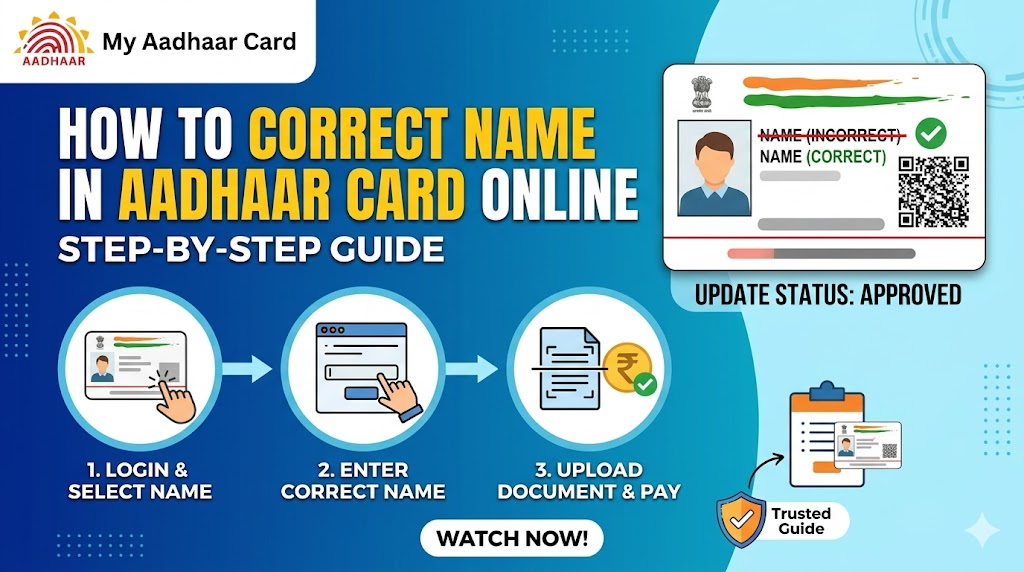
Why correcting name in Aadhaar is important cannot be overstated. A mismatch between your Aadhaar name and the name on your PAN card, Voter ID, passport, or bank records can lead to:
- Rejection of PAN-Aadhaar linking for income tax filing
- Failure in bank account KYC verification
- Inability to apply for a passport or driving license
- Problems during job background verification
- Disqualification from government schemes and subsidies
Fortunately, the Aadhaar name correction online 2026 process has been streamlined by UIDAI. You can now fix spelling errors, update your name after marriage, or make other legitimate name changes from the comfort of your home. This comprehensive guide will walk you through every step.
What is Aadhaar Name Correction?
Aadhaar name correction refers to the process of updating or modifying the name field in your UIDAI database record. This is different from a full enrolment or re-issuance of Aadhaar.
Meaning and purpose: The name correction service allows Aadhaar holders to rectify typographical errors, change their name due to marriage or divorce, or legally change their name altogether. Once the correction is approved by UIDAI, your updated name is reflected in the central database, and you can download an updated e-Aadhaar or order a new PVC card.
UIDAI distinguishes between two types of name updates:
| Type | Description | Method |
|---|---|---|
| Minor Correction | Fixing spelling errors, adding/removing initials, correcting order of names | Online (usually) |
| Major Change | Complete name change due to marriage, divorce, or legal name change | Offline (may require additional documents) |
According to UIDAI guidelines, “the name update request is processed after verification of supporting documents.” The authority emphasizes that “the name should be exactly as per the Proof of Identity (POI) document submitted.”
Appointment Booking
When Do You Need to Correct Name in Aadhaar
There are several common scenarios that necessitate a name correction:
Spelling Mistakes:
- Typographical errors during original enrolment (e.g., “Ramesh” written as “Rameash”)
- Missing or extra letters in the name
- Incorrect use of initials (e.g., “R. Kumar” vs “Raj Kumar”)
Marriage-Related Changes:
- Adding husband’s first name or surname after marriage
- Changing to married surname (e.g., from “Priya Sharma” to “Priya Verma”)
- Women who wish to revert to maiden name after divorce
Legal Name Changes:
- Name change due to religious conversion
- Name change through legal deed poll or gazette notification
- Correction of name on legal documents (e.g., birth certificate vs school records)
Other Situations:
- Removing father’s/husband’s name from your own name field
- Adding a middle name that was omitted earlier
- Correcting the order of first name, middle name, and surname
If you are unsure whether your name needs correction, compare your Aadhaar name with your PAN card, passport, and bank account records. Any discrepancy should be addressed immediately.
What Name Changes Are Allowed in Aadhaar
Understanding the difference between minor vs major corrections is crucial before you begin.
Minor Corrections (Usually Allowed Online):
| Type | Example | Documentation Needed |
|---|---|---|
| Spelling correction | “Sachin Tendulkar” → “Sachin Ramesh Tendulkar” | Any valid POI with correct spelling |
| Initial expansion | “S. R. Tendulkar” → “Sachin Ramesh Tendulkar” | POI showing full name |
| Name order correction | “Tendulkar Sachin” → “Sachin Tendulkar” | POI with correct order |
| Adding/removing middle name | “Sachin Tendulkar” → “Sachin Ramesh Tendulkar” | POI with middle name |
Major Corrections (Usually Require Offline Visit):
| Type | Example | Documentation Needed |
|---|---|---|
| Complete name change after marriage | “Priya Sharma” → “Priya Verma” | Marriage certificate + husband’s Aadhaar (optional) |
| Complete name change after divorce | “Priya Verma” → “Priya Sharma” | Divorce decree + court order |
| Legal name change | “Mohammad Khan” → “Mohan Kumar” | Gazette notification + deed poll |
| Name change due to gender transition | Name change with new identity | Medical certificate + court order |
Important Restriction: UIDAI allows a limited number of name changes. According to reports, “only two name changes are permitted in a lifetime under normal circumstances.” Major name changes may require additional scrutiny.
Who Can Update Name in Aadhaar Online
The eligibility criteria for online name correction are as follows:
You can update your name online if:
- You have a valid Aadhaar number (12-digit UID)
- Your registered mobile number is active and linked to your Aadhaar
- The name change is a minor correction (spelling, initials, order)
- You have a valid Proof of Identity (POI) document showing the corrected name
- You are above 18 years of age (for minors, parents/guardians must update offline)
You CANNOT update name online if:
- You are making a major name change (marriage, divorce, legal name change)
- Your registered mobile number is not active or not linked
- You do not have any POI document with the corrected name
- Your Aadhaar has already been updated with name changes multiple times recently
For major name changes, you must visit an Aadhaar Seva Kendra (ASK) or authorized enrolment centre. To locate your nearest centre, you can refer to resources like the UIDAI Aadhaar update history page for guidance on tracking past updates.
Requirements for Name Correction
Before starting the online name correction process, ensure you have the following:
Essential Requirements:
- Aadhaar Number – Your 12-digit UID. Keep it handy.
- Registered Mobile Number – All OTPs for login and verification will be sent here. This is mandatory. If your mobile number is not registered, you must first link mobile number with Aadhaar card before attempting name correction.
- Stable Internet Connection – To avoid timeout errors during the process.
- Scanner or Smartphone Camera – To capture a clear image of your Proof of Identity document.
- Valid Proof of Identity (POI) – As per UIDAI’s approved document list.
Technical Requirements:
- Browser: Chrome, Firefox, Edge, or Safari (latest versions)
- Internet speed: Minimum 2 Mbps recommended
- File size for document upload: Maximum 2 MB
- File formats accepted: PDF, JPEG, PNG
Documents Required for Name Update
The most critical part of name correction is submitting the correct Proof of Identity (POI) document. UIDAI maintains an updated list of acceptable documents as of 2026.
Primary POI Documents (most commonly used):
| Document | Acceptability | Notes |
|---|---|---|
| Passport | High | Best option if available |
| PAN Card | High | Widely accepted |
| Voter ID | High | Must be valid |
| Driving License | High | Must be valid |
| Government-issued Photo ID | High | Central/State government |
| Service Photo ID | Medium | PSU banks, government offices |
| School/College ID with photo | Low | Not accepted for adults |
Secondary POI Documents (acceptable with conditions):
- Certificate of Identity issued by Gazetted Officer
- Photo ID issued by recognized educational institution (for students)
- Pensioner Photo Card
- Freedom Fighter Photo Card
Important Guidelines:
- The name on your POI document must exactly match the name you want on your Aadhaar
- The document must be valid (not expired)
- For name change due to marriage, a marriage certificate is required along with a POI showing the new name
- For legal name change, a gazette notification or deed poll is mandatory
For a complete list of acceptable documents, you can visit the official UIDAI portal. If you are also planning to update other details simultaneously, refer to the Aadhaar update online 2026 guide for address and DOB corrections.
Official Website for Aadhaar Update
The only official portal for Aadhaar name correction is the UIDAI MyAadhaar portal.
Official Website: https://myaadhaar.uidai.gov.in
What you can do on the portal:
- Update demographic details (name, address, DOB, gender, mobile)
- Download e-Aadhaar
- Order PVC Aadhaar card
- Check update status
- Verify email/mobile number
- Generate Virtual ID (VID)
- Lock/unlock biometrics
Warning: UIDAI has repeatedly warned against fake websites. Always ensure the URL begins with https:// and shows a padlock icon. Never share your OTP or Aadhaar details with unauthorized third parties claiming to offer “fast updates.”
If you encounter issues with OTP delivery during the login process, refer to the Aadhaar OTP not received guide for troubleshooting steps.
Methods to Correct Name in Aadhaar
There are two primary methods to correct your name in Aadhaar:
Method 1: Online via UIDAI Portal (SSUP)
The Self Service Update Portal (SSUP) allows you to update your name online without visiting any centre.
Best for: Minor corrections (spelling, initials, order)
Steps: Covered in detail in Section 10 below.
Time: 5-10 working days
Fee: ₹50 + GST (approx ₹59)
Method 2: Offline at Aadhaar Seva Kendra
For major name changes or if you do not have a registered mobile number, you must visit an Aadhaar Seva Kendra.
Best for: Marriage name change, legal name change, major corrections
Process:
- Locate nearest Aadhaar Seva Kendra using Bhuvan portal
- Carry original Aadhaar and supporting POI documents
- Fill the Aadhaar Update/Correction Form
- Complete biometric verification (fingerprints + iris scan)
- Pay the fee
- Collect acknowledgement with URN
Time: 10-15 working days
Fee: ₹50 + convenience fee (varies by centre)
Note: For offline updates, biometric verification is mandatory. To understand how biometrics work, read the Aadhaar biometrics lock/unlock guide for security best practices.
Step-by-Step: How to Correct Name in Aadhaar Online
Follow this detailed step-by-step guide for online name correction:
Step 1: Visit the Official UIDAI Portal
Go to https://myaadhaar.uidai.gov.in and click on “Update Your Aadhaar” under the “My Aadhaar” section.
Step 2: Select “Name” as the Field to Update
On the update page, you will see multiple fields (Name, Address, DOB, Gender, Mobile). Check the box next to “Name” only. Do not select other fields unless you are updating them simultaneously.
Step 3: Login Using Aadhaar and OTP
- Enter your 12-digit Aadhaar number
- Click “Send OTP”
- Enter the OTP received on your registered mobile number
- Click “Login”
Step 4: Enter Your Corrected Name
In the name field, enter your name exactly as it appears on your Proof of Identity (POI) document.
Important formatting rules:
- Use only English alphabet letters (A-Z, a-z)
- Use spaces between first, middle, and last names
- Do not use special characters (@, #, $, %, etc.)
- Do not use prefixes like Mr., Mrs., Dr., Shri, Smt.
- Maximum length: 50 characters (including spaces)
Example:
- Correct: “Sachin Ramesh Tendulkar”
- Incorrect: “Mr. Sachin R. Tendulkar”
- Incorrect: “Sachin@Tendulkar”
Step 5: Upload Your Proof of Identity (POI) Document
- Click “Upload Document”
- Select your POI file (PDF, JPEG, or PNG format)
- Ensure file size is less than 2 MB
- Ensure the document is clear, legible, and not password-protected
- The document should show your corrected name
Tips for clear document upload:
- Scan at 200-300 DPI resolution
- Ensure all four corners of the document are visible
- Avoid shadows or glare on the document
- Use a white background
Step 6: Review Your Details
Before submission, carefully review:
- Your corrected name (spelling, order, spacing)
- The uploaded document (is it the correct one? is it readable?)
Step 7: Agree to Declaration and Submit
Check the box confirming that the information provided is true and accurate. Click “Submit Update Request”.
Step 8: Pay the Update Fee
- The fee for name correction is ₹50 + 18% GST = ₹59 (approx)
- Payment options: Credit card, Debit card, Net banking, UPI (Google Pay, PhonePe, Paytm)
- Complete the payment
Step 9: Note Down Your URN
After successful payment, a 14-digit Update Request Number (URN) will be displayed. Save this number immediately – you cannot track your request without it. Take a screenshot or write it down.
Step 10: Logout and Wait for Processing
Your request has been submitted. UIDAI will now verify your name against the uploaded POI document. This typically takes 5-10 working days.
Rules & Limits for Name Correction
UIDAI has established specific rules and limits for name corrections to prevent misuse:
Number of Allowed Changes:
- Minor corrections (spelling/initials): No strict limit, but frequent changes may trigger manual review
- Major name changes: Maximum 2 changes in a lifetime under normal circumstances
- Name change due to marriage: Generally allowed once (change to married name) and potentially once more (revert after divorce)
Other Important Rules:
- The name on your POI document must match the requested name exactly
- UIDAI may reject requests where the name change is too drastic without proper legal documentation
- For children under 5 years (Baal Aadhaar), name can be updated once when the child turns 5 (biometric update also required)
- Name containing only initials (e.g., “S. R. T.”) may not be accepted – full name is preferred
What UIDAI says: “UIDAI may reject update requests if the supporting document is not valid, expired, or does not match the requested changes.”
If your request is rejected, do not worry. You can reapply with the correct documentation. To understand why rejections happen, you can check Aadhaar status online to see the specific rejection reason.
Aadhaar Name Update Fees (2026)
Understanding the charges for name update helps you budget correctly:
| Service | Fee (₹) | GST (18%) | Total (₹) |
|---|---|---|---|
| Online name correction (minor) | 50 | 9 | 59 |
| Offline name correction at ASK | 50 | 9 | 59 + convenience fee |
| Major name change (requires offline) | 50 | 9 | 59 + convenience fee |
| Name + Address combined update | 50 | 9 | 59 (single fee) |
| Name + Biometric update | 100 | 18 | 118 |
Important Notes on Fees:
- The fee is non-refundable even if your request is rejected
- If you update multiple fields (e.g., name and address) in one request, you pay only once
- After your name is updated, you may want to order a new PVC card with the corrected name. The Aadhaar PVC card apply online guide explains how to order one for ₹50 + GST.
Free Updates: The first online demographic update (including name correction) was free until a certain date, but as of 2026, UIDAI charges a nominal fee for all updates except those done within 30 days of enrolment.
How to Check Aadhaar Name Update Status
After submitting your name correction request, you can track its progress using your URN (Update Request Number).
Step-by-Step Status Check:
- Visit the official UIDAI portal: https://myaadhaar.uidai.gov.in
- Click on “Check Update Status” under the “My Aadhaar” section
- Enter your 14-digit URN
- Enter your 12-digit Aadhaar number
- Complete the captcha verification
- Click “Send OTP”
- Enter the OTP received on your registered mobile number
- Your status will be displayed:
| Status | Meaning | What to Do |
|---|---|---|
| Submitted | Request received, waiting in queue | Wait 24-48 hours |
| Under Review | UIDAI is verifying your document | No action needed |
| Approved | Name correction approved | Wait for database update |
| Completed | Name updated in Aadhaar | Download e-Aadhaar |
| Rejected | Request failed (reason given) | Reapply with correct document |
Alternative Method: You can also check status using the mAadhaar mobile app.
If your status shows “Completed” but you want to see your update history, visit the UIDAI Aadhaar update history page to learn how to view all past updates.
How Long Does Name Correction Take
The processing time for name correction varies based on several factors:
| Method | Minimum | Maximum | Average |
|---|---|---|---|
| Online (minor correction) | 3 days | 15 days | 5-7 days |
| Online (with manual verification) | 7 days | 21 days | 10-14 days |
| Offline at Aadhaar Seva Kendra | 7 days | 21 days | 10-15 days |
Official UIDAI statement: “Normally 90% of the update requests are completed within 30 days.”
Factors that affect processing time:
- Volume of requests: High volume (e.g., after government announcements) may cause delays
- Document quality: Blurry or unclear documents take longer to verify
- Name change type: Major changes require additional verification
- Regional office workload: Processing times vary by state
What to do if it takes too long:
- Wait at least 15 days before raising a concern
- Call UIDAI helpline: 1947
- Email: help@uidai.net.in
- Visit your nearest Aadhaar Seva Kendra with your URN
What Happens After Name Update Approval
Once your name correction request is approved and marked “Completed,” here is what happens:
Immediate Changes:
- Your name is updated in UIDAI’s Central Identities Data Repository (CIDR)
- The updated name is linked to your Aadhaar number
What You Should Do:
- Download Updated e-Aadhaar:
- Visit myaadhaar.uidai.gov.in
- Click “Download Aadhaar”
- Enter your Aadhaar number and OTP
- Download the password-protected PDF (password: first 4 letters of your name in CAPS + year of birth) For detailed download instructions, refer to UIDAI Aadhaar download online.
- Order a PVC Card (Optional but Recommended):
- The e-Aadhaar is digitally valid, but a physical PVC card is convenient
- Order through the portal for ₹50 + GST
- The PVC card will show your corrected name
- Update Linked Services:
- Your Aadhaar name is now changed. Update it with:
- Your bank(s)
- PAN card (to avoid PAN-Aadhaar linking issues)
- Mobile service provider
- Employer
- Insurance companies
Important: If you have linked your Aadhaar with PAN, ensure the names match. For guidance, see the PAN Aadhaar linking 2026 guide.
Common Errors During Name Update
Many users face issues during the name correction process. Here are the most common errors and how to avoid them:
| Error | Cause | Prevention |
|---|---|---|
| “Name mismatch with document” | The name you entered does not exactly match the name on your POI document | Enter name exactly as it appears on the document (including initials) |
| “Document not valid” | Uploaded document is expired, unclear, or not in UIDAI’s approved list | Use only valid, approved POI documents. Ensure expiry date is in future |
| “File upload failed” | File size >2 MB or wrong format | Compress file to under 2 MB. Use PDF or JPEG |
| “OTP not received” | Network issue or mobile not registered | Wait 2 minutes, try again. Check mobile signal |
| “Name contains invalid characters” | Used special characters or prefixes | Remove Mr., Mrs., Dr., @, #, $, etc. |
| “Update limit exceeded” | Too many name changes in short period | Contact UIDAI helpline for manual intervention |
Pro Tip: Before submitting, compare your entered name with your POI document side by side. Even a missing space or extra initial can cause rejection.
If you face OTP issues, the Aadhaar OTP not received guide provides detailed solutions.
How to Fix Name Correction Rejection
If your name correction request shows “Rejected” status, do not panic. Here is how to fix it:
Step 1: Understand Why It Was Rejected
- Check the status page – UIDAI provides a rejection reason
- Common rejection reasons:
- Document unclear or illegible
- Name mismatch between entered name and document
- Document expired
- Document not in UIDAI’s approved list
Step 2: Download the Rejection Letter
- From the status page, you can download a rejection letter
- This letter specifies the exact issue
Step 3: Correct the Issue
- If document was unclear: Scan a fresh, clear copy
- If name mismatch: Re-enter name exactly as on document
- If document expired: Get a renewed document or use an alternative POI
- If document not approved: Use a different POI from UIDAI’s list
Step 4: Submit a Fresh Request
- You must submit a completely new request
- The previous fee is not refundable
- Pay the ₹59 fee again
- Use the corrected information
Step 5: If Still Rejected
- Visit an Aadhaar Seva Kendra in person
- Carry original Aadhaar and original POI documents
- Request manual verification by UIDAI officials
Prevention Tip: To avoid multiple rejections, ensure your document is perfectly clear and your entered name matches the document exactly before the first submission.
Aadhaar Name Correction Without Documents (Is It Possible?)
This is a frequently asked question with a clear answer.
Short answer: No, it is not possible to correct your name in Aadhaar without submitting a valid Proof of Identity (POI) document.
Why documents are required: UIDAI’s entire security framework is based on verified identity. The name on your Aadhaar must be traceable to a government-issued identity document. Without a POI, anyone could change their name arbitrarily, leading to identity fraud.
Are there any exceptions?
| Scenario | Possible without document? | Explanation |
|---|---|---|
| Minor spelling correction | No | Still requires a document showing correct spelling |
| Name change after marriage | No | Marriage certificate is the document |
| Legal name change | No | Gazette notification or deed poll is required |
| Adding middle name | No | Document showing middle name required |
| Correcting order of names | No | Document showing correct order required |
Alternative if you have no documents:
- Apply for a valid government ID (Voter ID, Passport, Driving License) first
- Once you have that document, use it for Aadhaar name correction
- Or visit an Aadhaar Seva Kendra and ask about the “Introducer” facility (rare, only for extreme cases)
Bottom line: Always keep at least one valid government ID document. If you have lost all documents, contact the nearest Aadhaar Seva Kendra for guidance on documentless verification options.
Important Tips for Successful Name Update
Follow these important tips to ensure your name correction request is approved on the first attempt:
Tip 1: Match Details Exactly
- Your entered name must be identical to the name on your POI document
- If your document says “Rajesh K,” enter “Rajesh K” – not “Rajesh Kumar”
- Pay attention to spaces, dots (periods), and capitalization
Tip 2: Use Clear Documents
- Scan at 200-300 DPI resolution
- Ensure all text is readable
- No shadows, glare, or folded corners
- Document must be fully visible (all four corners)
Tip 3: Check Document Validity
- Passport must not be expired
- Voter ID must be current
- Driving License must be valid
- Bank statements must be less than 3 months old (if used for address, not name)
Tip 4: Avoid Special Characters and Prefixes
- ❌ “Dr. Rajesh Kumar”
- ❌ “Mr. R. K. Sharma”
- ❌ “Priya@Verma”
- ✅ “Rajesh Kumar”
- ✅ “R K Sharma”
- ✅ “Priya Verma”
Tip 5: Keep Your Mobile Number Registered
- All OTPs are sent to your registered mobile number
- If your mobile number is not registered, you cannot update online
- First link mobile number with Aadhaar card if needed
Tip 6: Save Your URN
- Take a screenshot or photo of your URN
- Write it down in a notebook
- Without URN, you cannot track your request
Tip 7: Be Patient
- Do not submit multiple requests for the same change
- Multiple requests can flag your account for manual review
- Wait for the first request to complete before submitting another
Conclusion + Quick Summary
Correcting your name in Aadhaar is a straightforward process when you have the right information. As of 2026, UIDAI has made online name correction accessible to millions of Indians through the MyAadhaar portal.
Final Recap Table:
| Aspect | Details |
|---|---|
| Can you correct name online? | Yes, for minor corrections (spelling, initials, order) |
| Major name changes (marriage, legal)? | Requires offline visit to Aadhaar Seva Kendra |
| Documents required | Valid Proof of Identity (POI) showing corrected name |
| Registered mobile number needed? | Yes – mandatory for OTP verification |
| Fee | ₹50 + 18% GST = ₹59 (approx) |
| Processing time | 5-10 working days (online) |
| How to track | Using 14-digit URN on UIDAI portal |
| What after approval | Download e-Aadhaar, optionally order PVC card |
| Can you update without documents? | No – documents are mandatory |
Key Takeaways:
Always match your name exactly with your Proof of Identity document
Keep your mobile number registered – without it, online update is impossible
Save your URN – you cannot track status without it
One fee covers multiple updates – update name + address together for ₹59
Rejections happen – if rejected, correct the issue and reapply (fee is non-refundable)
Download updated e-Aadhaar after approval – it is legally valid
Update linked services – banks, PAN, mobile operator, employer
Final Advice:
Start by gathering your documents. If you have a valid POI (Passport, PAN, Voter ID) and your mobile number is registered with Aadhaar, you can complete the entire process online in under 10 minutes. For marriage-related or legal name changes, visit your nearest Aadhaar Seva Kendra with original documents.
Remember: An accurate Aadhaar card is essential for PAN-Aadhaar linking, bank KYC, government subsidies, and passport applications. Take the time to correct any errors today.
Disclaimer: This information is based on UIDAI guidelines and procedures as of 2026. Fees, processes, and document requirements are subject to change. Always refer to the official UIDAI portal (myaadhaar.uidai.gov.in) or call 1947 for the most current information.