The Unique Identification Authority of India (UIDAI) has made it easier than ever to keep your Aadhaar details accurate. As we move through 2026, having updated information on your Aadhaar card is not just a recommendation it is a necessity. Your Aadhaar serves as a primary proof of identity and address for bank accounts, mobile connections, passport applications, and government subsidies.
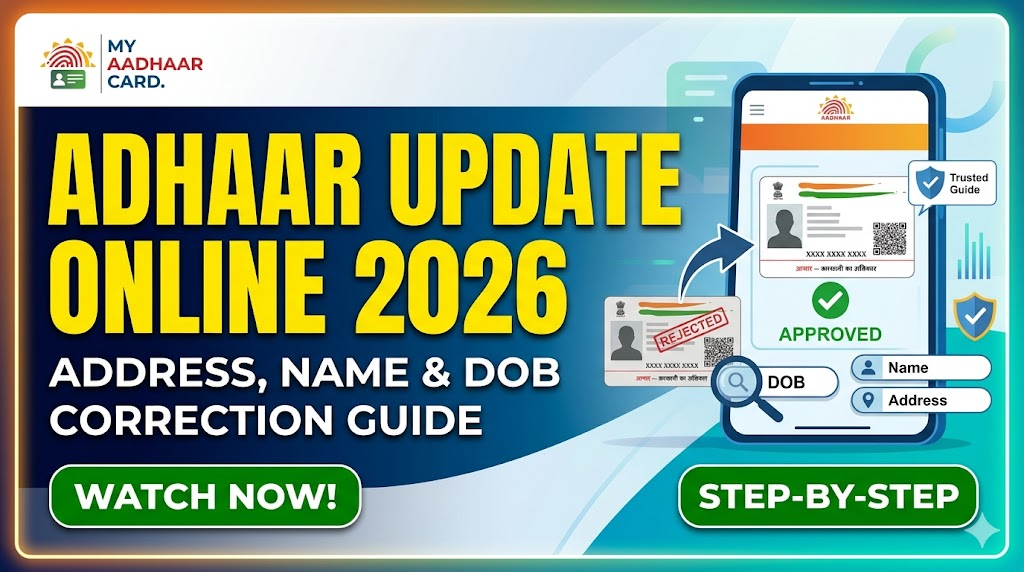
Why is updating Aadhaar details so important? Outdated or incorrect information can lead to failed verification processes, rejection of documents, and even loss of benefits under schemes like Direct Benefit Transfer (DBT). Fortunately, the Aadhaar update online 2026 process allows you to correct your Address, Name, and Date of Birth (DOB) from the comfort of your home without visiting an enrollment center.
What Details Can Be Updated in Aadhaar
The UIDAI permits several types of demographic updates online. These include:
- Address: Change of residence, city, or state.
- Name: Correction of spelling, addition of a middle name, or legal name change (with valid proof).
- Date of Birth (DOB): Correction of minor errors or updates within permissible limits.
- Gender: Correction or change with supporting medical/legal documents.
- Mobile Number & Email: While these can be verified online, updating a mobile number may require OTP verification from the existing number.
What Cannot Be Updated Online
It is crucial to understand the limitations of the online portal. The following biometric details cannot be changed via the internet:
- Fingerprints (all ten fingers)
- Iris scans (both eyes)
- Photograph
If you need to update your photo or biometrics due to age progression, injury, or any other reason, you must visit a permanent Aadhaar Seva Kendra (ASK) or an authorized bank branch offering biometric updates. There is no online alternative for this.
Aadhaar Enrolment & Update Charges
Why You May Need to Update Aadhaar
There are several common scenarios that necessitate an update:
- Address Change: After moving to a new house, city, or state for work or personal reasons.
- Spelling Mistakes: Typographical errors in name or father’s name during original enrollment.
- DOB Errors: Discrepancies between your Aadhaar DOB and the DOB on your Class 10 certificate or passport.
- Marriage/Divorce: Name or address changes following a life event.
- Bank KYC Mismatch: When your bank records don’t match your Aadhaar details, causing transaction failures.
Who Can Update Aadhaar Online
To use the online self-service update portal, you must meet these eligibility criteria:
- You must have a valid Aadhaar number (12-digit UID).
- Your registered mobile number must be active and linked to your Aadhaar. OTP verification is mandatory.
- You must possess valid digital copies of your Proof of Identity (POI) and Proof of Address (POA) as per UIDAI’s document list.
- Children under 5 years (Baal Aadhaar) require updates every 5 years, but these are better done offline.
Requirements for Aadhaar Online Update
Before starting the process, ensure you have the following ready:
- Aadhaar Number: Your 12-digit UID.
- Registered Mobile Number: All OTPs will be sent here. If your number is not registered, you cannot update online.
- Stable Internet Connection: To avoid timeout errors.
- Scanner or Smartphone: To capture clear images of your supporting documents (PDF or JPEG, max size 2MB).
- Valid Document: As per the latest UIDAI document list (Passport, Voter ID, Driving License, Bank Passbook, etc.).
Documents Required for Aadhaar Update
UIDAI maintains a dynamic list of acceptable documents. As of 2026, the most commonly used documents include:
Proof of Identity (POI) – for Name/DOB/Gender updates:
- Passport
- PAN Card
- Voter ID
- Government-issued Photo ID card
Proof of Address (POA) – for Address updates:
- Passport
- Voter ID
- Driving License
- Bank Statement/Passbook (last 3 months)
- Water/Electricity Bill (last 3 months)
- Property Tax Receipt
- Ration Card
Note: For a name change due to marriage, a self-attested marriage certificate is required. For DOB correction, a Birth Certificate or Class 10 Marksheet is mandatory.
Official Website for Aadhaar Update
The only official portal for Aadhaar updates is https://myaadhaar.uidai.gov.in. Beware of fake websites promising quick updates for a fee. The UIDAI portal overview includes the following sections:
- My Aadhaar: Download e-Aadhaar, order PVC card.
- Update Aadhaar: Online demographic update.
- Get Aadhaar: Check status, retrieve lost UID/EID.
- Aadhaar Services: Verify email/mobile, lock/unlock biometrics.
Always ensure the URL begins with https:// and shows a padlock icon.
Types of Aadhaar Update Methods
There are two primary methods to update your Aadhaar:
| Method | Description | Cost | Time |
|---|---|---|---|
| Online Method | Self-service via UIDAI portal using documents and OTP | ₹50 (incl. GST) | 72 hours to 7 days |
| Offline Method | Visit Aadhaar Seva Kendra (ASK) or bank branch with original documents | ₹50 (plus service tax at ASK) | 10-15 days |
The online method is recommended for address and minor name/DOB corrections. For major changes or biometrics, offline is mandatory.
Step-by-Step: How to Update Aadhaar Address Online
Updating your address is the most common request. Follow this step-by-step guide:
Step 1: Go to https://myaadhaar.uidai.gov.in and click on “Update Your Aadhaar”.
Step 2: Select “Address” from the list of updatable fields.
Step 3: Login using your Aadhaar number and the OTP sent to your registered mobile number.
Step 4: Enter your new address exactly as it appears on your Proof of Address document. Avoid abbreviations.
Step 5: Upload a clear scanned copy (PDF/JPEG) of your POA document. Ensure it is readable and not password-protected.
Step 6: Review the details, agree to the declaration, and click “Submit”.
Step 7: Pay the fee of ₹50 (including GST) via credit/debit card, net banking, or UPI.
Step 8: Note down the Update Request Number (URN) for tracking purposes.
Step-by-Step: How to Update Name in Aadhaar
Updating your name has specific conditions. Minor spelling corrections (e.g., “Sachin” to “Sachin Kumar”) are easier. Legal name changes require a Gazette notification or deed poll.
Process:
- Login to the UIDAI update portal.
- Select “Name”.
- Enter your corrected name in English (as per your POI document).
- Upload your Proof of Identity (POI) document.
- Submit and pay the fee.
- Wait for validation. If the name change is significant, UIDAI may ask for additional verification.
For further assistance on tracking your update request, you can refer to this detailed guide: check Aadhaar status online.
Step-by-Step: How to Update Date of Birth (DOB)
DOB updates have strict limitations:
- Minor correction (1-3 years): Allowed online with a valid Birth Certificate or Class 10 Marksheet.
- Major change (more than 3 years): Requires offline visit to an Aadhaar Seva Kendra.
- Maximum DOB allowed: No DOB change is allowed if the requested date makes the person younger than 5 years or older than 100 years without exceptional documentation.
Online Process:
- Login and select “Date of Birth”.
- Enter the correct DOB in DD/MM/YYYY format.
- Upload your supporting document (Birth Certificate or School Leaving Certificate).
- Submit. The update will be processed after document verification.
Aadhaar Update Fees (2026)
As of 2026, the fee structure remains affordable:
- Online Update (Demographic): ₹50 (inclusive of 18% GST) – non-refundable even if rejected.
- Offline Update at Aadhaar Seva Kendra: ₹50 + convenience fee (approx ₹50-100) depending on location.
- Biometric Update: ₹100 (only offline).
- PVC Card after update: ₹50 (optional, if you want a physical card with new details).
Payment is accepted via debit/credit card, net banking, UPI (Google Pay, PhonePe, Paytm), and wallets.
How to Check Aadhaar Update Status
After submitting your update request, you receive a 14-digit Update Request Number (URN). To check status:
- Visit the UIDAI portal → “Check Update Status”.
- Enter your URN and Aadhaar number.
- Enter the captcha and click “Send OTP”.
- Enter the OTP received on your registered mobile.
- Status will appear as:
- Submitted → Under Review → Approved → Completed (or Rejected).
If you face issues with OTP delivery while checking status, read our dedicated fix guide: Aadhaar OTP not received for quick solutions.
How Long Does Aadhaar Update Take
The processing time depends on the type of update:
- Online Address Update: 72 hours to 7 days (typically 3-5 working days).
- Online Name/DOB Update: 5-10 working days (due to stricter verification).
- Offline Update (ASK): 10-15 working days.
- Biometric Update: 15-30 days.
Once approved, you can download the updated e-Aadhaar from the UIDAI portal. A physical PVC card can be ordered separately. For the latest process on ordering a new card, see this guide: Aadhaar PVC card apply online.
Aadhaar Update Without Documents (Is It Possible?)
Short answer: No, not for online updates.
UIDAI’s security protocols require documentary proof for any demographic change. However, there are alternatives if you lack documents:
- Introducer Facility: You can get an introducer (someone with a valid Aadhaar) to vouch for your identity at an Aadhaar Seva Kendra.
- Head of Family (HoF): If your address is already verified for a family member (e.g., spouse or parent), you can update your address based on their Aadhaar. This requires the HoF’s Aadhaar number and consent.
Without any document or introducer, an online update is impossible.
Common Errors During Aadhaar Update
Many users face rejections due to these common errors:
| Error | Reason | Solution |
|---|---|---|
| Name mismatch | Name entered online does not match POI document exactly | Enter name exactly as on document (including initials) |
| Invalid document | Document is expired, unclear, or not in UIDAI’s list | Use only valid documents from the latest UIDAI list |
| Address too long | Exceeds character limit (max 50 chars per line) | Use standard abbreviations (St. for Street, Rd. for Road) |
| OTP not delivered | Network issue or mobile not registered | Wait 2 minutes, try again, or use TOTP from mAadhaar app |
| Document upload fails | File size >2MB or wrong format | Convert to PDF or JPEG, compress if needed |
How to Fix Aadhaar Update Rejection
If your update request is rejected (status shows “Rejected”), do not panic. Follow these steps:
- Download the rejection letter from the UIDAI portal (available in the update status section). It will mention the specific reason.
- Correct the error: If it’s a document issue, scan a clearer copy. If it’s a data mismatch, correct the entered data.
- Submit a fresh request – you must pay the ₹50 fee again (no refund for rejected requests).
- Alternative: Visit an Aadhaar Seva Kendra with original documents for manual verification.
To avoid future rejections, always verify your details before submission. You can also check your UIDAI Aadhaar update history to see past requests.
Important Tips for Successful Update
Maximize your chances of approval with these pro tips:
- Use the same name order: If your document says “Kumar S,” enter “Kumar S” – not “S Kumar”.
- Scan in high resolution: Use 200-300 DPI for documents. Blurry uploads are rejected.
- Avoid special characters: Don’t use symbols like @, #, $ in your name or address.
- Check document validity: Passport must be valid. Bills must be less than 3 months old.
- Keep URN safe: You cannot track status without it.
- Update mobile first: If your mobile number is outdated, update it offline before attempting other online updates.
Conclusion + Quick Summary
Keeping your Aadhaar updated is essential for seamless KYC, government benefits, and financial transactions. The Aadhaar update online 2026 process for Address, Name, and DOB is simple, affordable (₹50), and can be completed from home. Remember:
- Can update online: Address, Name (minor), DOB (minor), Gender.
- Cannot update online: Biometrics, Photo.
- Need: Registered mobile number + valid POI/POA document.
- Time: 3-10 working days.
- Track via: URN on UIDAI portal.
For related tasks, ensure you also know how to download Aadhaar online after your update is complete. If you need to link your updated Aadhaar with PAN, follow this PAN Aadhaar linking guide. For enhanced security, consider learning about Aadhaar biometrics lock/unlock to prevent misuse.
Final Recap: Visit myaadhaar.uidai.gov.in → Login with Aadhaar + OTP → Select field (Address/Name/DOB) → Upload document → Pay ₹50 → Track with URN → Download updated Aadhaar in 7 days.
Disclaimer: This article is for informational purposes based on UIDAI guidelines as of 2026. Fees and processes are subject to change. Always refer to the official UIDAI portal for the latest updates.