Your Aadhaar card is more than just a 12-digit number it is your primary identity document for banking, government schemes, mobile connections, and travel. However, many Aadhaar holders have photos that are 5, 10, or even 15 years old. A child’s photo taken at age 5 looks nothing like the same person at age 18. An adult’s photo from a decade ago may no longer resemble their current appearance.
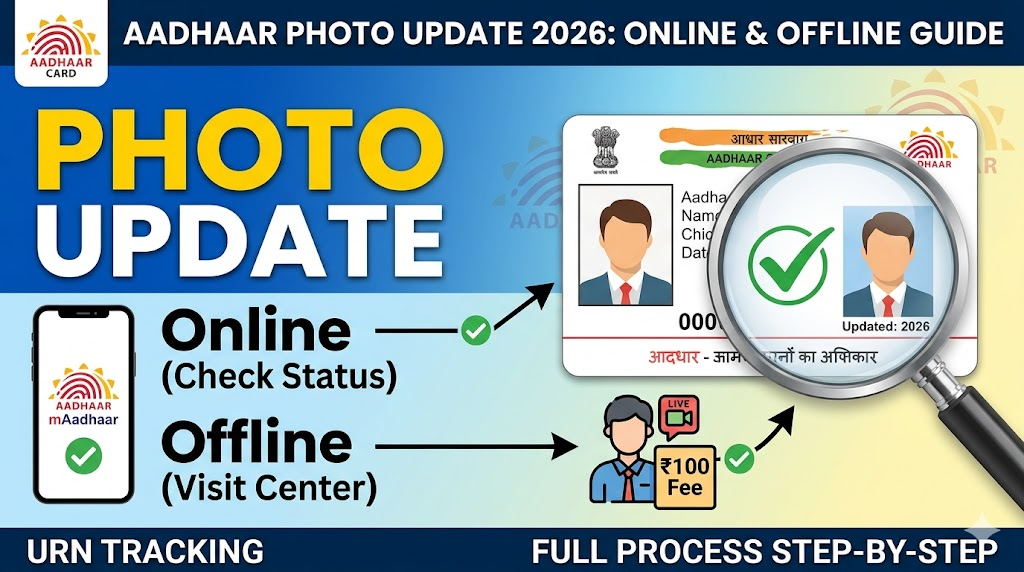
Why updating photo is important cannot be overstated. An outdated or unclear photo can lead to:
- Identity verification failures at airports, banks, and government offices
- Rejection of KYC documents for loans and credit cards
- Embarrassment and delays during in-person verification
- Problems with passport applications and international travel
- Issues with facial recognition systems used by various service providers
According to UIDAI officials, “Maintaining up-to-date biometric data and demographic information is an important part of your identity security. If you possess an old photo, this may cause you to have ‘photo mismatch’ problems during identification checks at places like banks, airports, and other government facilities” .
This comprehensive guide will walk you through everything you need to know about updating your Aadhaar photo in 2026.
Can You Update Aadhaar Photo Online? (2026 Update)
This is the most common question, and the clear answer is: NO, you cannot update your Aadhaar photo online you must visit an Aadhaar Seva Kendra in person.
Why the limitation? Your photograph is considered a biometric element (along with fingerprints and iris scans). Unlike demographic details such as name or address, biometrics require live capture at an authorized centre to ensure authenticity and prevent fraud.
What UIDAI says: “Biometric updates must be done at an Aadhaar Seva Kendra or authorized enrolment centre” .
Appointment Booking
What can be done online vs offline:
| Detail Type | Online Update | Offline Update (Centre) |
|---|---|---|
| Name (minor correction) | Yes | Yes |
| Address | Yes | Yes |
| Date of Birth (minor) | Yes | Yes |
| Mobile Number | Yes (new app feature) | Yes |
| Photo | No | Yes (must visit) |
| Fingerprints | No | Yes |
| Iris Scan | No | Yes |
Important 2026 update: UIDAI has launched a new Aadhaar mobile app that allows many demographic updates online, including mobile number changes with face verification. However, “the Self-Service Update Portal (SSUP) does not support the online process for changing the photo on an Aadhaar card” . Photo updates still require an in-person visit .
When Should You Update Aadhaar Photo
There are several scenarios where updating your Aadhaar photo becomes necessary:
Outdated Photo:
- Your Aadhaar photo is more than 5-10 years old
- Your appearance has changed significantly (weight loss/gain, aging, hairstyle changes)
- The photo was taken when you were a child and you are now an adult
Unclear or Poor Quality Photo:
- The original photo is blurry, dark, or improperly lit
- The photo does not clearly show your face
- You are wearing sunglasses, a cap, or other obstructions
Mismatched Photo:
- Your Aadhaar photo does not match your current appearance on other ID proofs
- Facial recognition systems frequently fail to verify you
Mandatory Updates for Children:
- Children must update their biometrics (including photo) when they turn 5 years old
- Another mandatory update is required at 15 years of age
Damage or Loss:
- You have lost your Aadhaar card and want a fresh photo on a new PVC card
- Your old Aadhaar letter is damaged and you want to update before reprinting
What UIDAI recommends: “Many individuals have photos from 8-10 years ago that no longer represent the way they are today. Therefore, you may face challenges when trying to prove who you are if your photo does not represent you well” .
Who Can Update Aadhaar Photo
The eligibility criteria for Aadhaar photo update are straightforward:
You can update your photo if:
- You have a valid Aadhaar number (12-digit UID)
- You are the Aadhaar holder (not updating for someone else)
- You can visit an Aadhaar Seva Kendra in person
- You can provide biometric verification (fingerprints/iris) at the centre
Special Cases:
| Category | Eligibility | Notes |
|---|---|---|
| Adults (18+ years) | Yes | Can update anytime |
| Children (5-18 years) | Yes | Mandatory at age 5 and 15 |
| Children (under 5 years) | Yes (Baal Aadhaar) | Photo is not stored for under-5; updated at age 5 |
| Elderly/Disabled | Yes | Centres have special assistance |
| NRIs | Yes | Must visit Indian centre or use special provisions |
What Aadhaar Seva Kendras offer: “Aadhaar Seva Kendras provides all type of Aadhaar services such as… Update of biometric information (Photo, Fingerprints and Iris Scans)” .
Requirements for Photo Update
Before visiting an Aadhaar Seva Kendra for photo update, ensure you have the following:
Essential Requirements:
- Aadhaar Number – Your 12-digit UID. Knowing your number is sufficient; you do not need to carry the physical card, though it is recommended.
- Registered Mobile Number – While not mandatory for photo update at the centre, having a registered mobile number is highly recommended as all update notifications and OTPs for downloading the updated Aadhaar will be sent to this number. If your mobile number is not registered, you should first how to link mobile number with Aadhaar card before or during your visit.
- Original Identity Proof (Recommended) – Although no specific document is required for photo update alone, carrying a government-issued photo ID (Passport, Voter ID, Driving License) can help in case of any discrepancies.
- Your Physical Presence – You must be present at the centre for live photo capture and biometric verification.
What you DO NOT need:
- No physical photograph to bring – the centre will capture your photo on-site
- No specific documents for photo update alone
Documents Required for Photo Update
The simplest part of the photo update process is that usually, no documents are required specifically for the photo change itself.
Official UIDAI guidance: “No supporting documents are required to update the photo on your Aadhaar card. The executive will capture your photo on-site, so you don’t need to bring one” .
However, it is recommended to carry:
| Document | Purpose | Mandatory? |
|---|---|---|
| Aadhaar card/number | Primary identification | Highly recommended |
| Registered mobile phone | Receive OTP/notifications | Recommended |
| Any government photo ID | Backup identification | Optional |
| Proof of Address | Only if updating address simultaneously | Only if combining updates |
When documents ARE required:
- If you are updating your photo AND address in the same visit, you will need Proof of Address
- If you are updating your photo AND name, you will need Proof of Identity
- If you are updating your photo for a child, you may need the parent/guardian’s Aadhaar
What the centre does: “An authorized Aadhaar officer will verify your information, capture another live photo of you at the center, and confirm your previous fingerprints and iris scans” .
For complete information on document requirements for combined updates, refer to the Aadhaar update online 2026 address name dob correction guide.
Official Authority for Aadhaar Services
The Unique Identification Authority of India (UIDAI) is the sole statutory authority responsible for Aadhaar issuance, management, and updates.
Official channels for Aadhaar services:
| Channel | Official Access Point |
|---|---|
| Web Portal | https://myaadhaar.uidai.gov.in |
| Mobile App | Aadhaar App (official) / mAadhaar |
| Toll-Free Helpline | 1947 |
| Email Support | help@uidai.net.in |
What UIDAI says about Aadhaar Seva Kendras: “Aadhaar Seva Kendras provides all type of Aadhaar services such as New Enrolment for all age group, Update of any demographic Information (Name, Address, Gender, Date of Birth, Mobile number and Email Id), Update of biometric information (Photo, Fingerprints and Iris Scans), Mandatory Biometric Update of children (attaining the age of 5 and 15 years), Document update (POI and POA), Find & Print Aadhaar” .
Warning: UIDAI has repeatedly warned against fake websites and unauthorized agents. Always ensure you are visiting an official Aadhaar Seva Kendra. In a new initiative, “UIDAI joins hand with Google for displaying authorised Aadhaar Centres on Google Maps” to help citizens locate genuine centres .
Methods to Update Aadhaar Photo
Unlike address or name updates, photo updates have only one method:
Method: Offline at Aadhaar Seva Kendra (Mandatory)
This is the only way to update your Aadhaar photo. There is no online alternative.
What this method involves:
- Visiting an authorized Aadhaar enrolment centre in person
- Completing biometric verification (fingerprints + iris)
- Having a new live photograph taken at the centre
- Paying the applicable fee
- Waiting for processing (up to 90 days as per official guidelines)
Why online is NOT possible: “The Self-Service Update Portal (SSUP) does not support the online process for changing the photo on an Aadhaar card” . Your photograph is classified as biometric data, which UIDAI requires to be captured live at authorized centres to prevent identity fraud.
Centre Types:
| Centre Type | Services Offered | Availability |
|---|---|---|
| Aadhaar Seva Kendra (ASK) | Full services including biometric updates | Major cities |
| Permanent Enrolment Centre | Full services | District levels |
| Bank Branches (select) | Limited services (check locally) | Select locations |
| India Post Centres (select) | Aadhaar services | Select locations |
To track any previous updates or understand your Aadhaar history, you can check the UIDAI Aadhaar update history online page.
Step-by-Step: Aadhaar Photo Update Offline Process
Follow this detailed step-by-step guide for updating your Aadhaar photo at an Aadhaar Seva Kendra:
Step 1: Locate Your Nearest Aadhaar Seva Kendra
- Visit the official UIDAI Bhuvan portal: https://bhuvan.nrsc.gov.in/aadhaar/
- Enter your state, district, and pin code
- Alternatively, search on Google Maps for “Aadhaar Seva Kendra near me”
- UIDAI has partnered with Google to display authorized centres on Google Maps
Step 2: Visit the Centre in Person
- Go to the centre during working hours (typically 9:30 AM to 5:30 PM on weekdays)
- Best time to visit: Early morning (right after opening) or mid-afternoon to avoid long queues
- Avoid month-end and Monday mornings when crowds are heaviest
Step 3: Obtain and Fill the Aadhaar Update Form
- Request the Aadhaar Update/Correction Form from the operator
- Fill in your 12-digit Aadhaar number
- Check the box for “Photo Update” or “Biometric Update”
- If updating other details simultaneously, check those boxes as well
- Enter your current contact details
Step 4: Submit the Form to the Operator
- Hand over the filled form to the Aadhaar operator
- Provide your Aadhaar card or a printout of your e-Aadhaar (if available)
- The operator will enter your details into the system
Step 5: Complete Biometric Verification
- This is mandatory for identity confirmation
- You will need to provide:
- Fingerprints of all ten fingers (scanned)
- Iris scan of both eyes
- The operator will verify that your biometrics match UIDAI’s database records
Step 6: Live Photo Capture
- The operator will take a new live photograph of you at the centre
- No physical photo is needed to bring – the camera at the center will capture your image
- Ensure good lighting and remove any obstructions (glasses, caps, masks)
- Look directly at the camera
Step 7: Verify the Details on Screen
- Check the entered details on the operator’s screen
- Verify that your name, Aadhaar number, and other details are correct
- Confirm that the captured photo is clear and acceptable
Step 8: Pay the Update Fee
- The fee for biometric update (including photograph) is ₹100
- Payment can be made via cash, card, or digital wallet (varies by centre)
Step 9: Collect the Acknowledgement Slip
- The operator will provide an acknowledgement receipt
- This slip contains your Update Request Number (URN) – a unique identifier
- IMPORTANT: Keep this slip safe. You cannot track your update status without the URN
Step 10: Wait for Processing and Track Status
- Your photo update request is now submitted
- Processing typically takes time – official UIDAI guidance states up to 90 days
- Use your URN to track status online (see Section 14)
Biometric Verification Process Explained
The biometric verification process is mandatory for photo updates because your photo is classified as biometric data.
What is captured during verification:
| Biometric Element | Purpose | Process |
|---|---|---|
| Fingerprints (all ten fingers) | Primary identity verification | Scanned using certified fingerprint scanner |
| Iris scans (both eyes) | Secondary biometric identifier | Captured using iris recognition camera |
| Live Photograph | Visual identification | Captured at centre |
Why biometrics are required for photo update: UIDAI requires biometric verification before any biometric change (including photo) to ensure that only the genuine Aadhaar holder can request this change, preventing identity fraud and photo tampering.
What happens during biometric verification:
- The operator scans your fingerprints (usually starting with the left hand)
- The system matches your fingerprints against UIDAI’s Central Identities Data Repository (CIDR)
- If fingerprints are not readable (due to injury, age, or occupation), iris scans are used as an alternative
- Your live photo is captured and stored in the database
Time required: Biometric verification and photo capture typically take 5-10 minutes if fingerprints are clear.
For children: “Mandatory Biometric Update of children (attaining the age of 5 and 15 years)” is required . Parents/guardians must accompany minors to the centre.
Live Photo Capture Process
The live photo capture process is straightforward but requires some preparation:
What happens at the centre:
- The Aadhaar operator will position you in front of a webcam or dedicated camera
- You will be asked to look directly at the camera
- The operator will capture your photograph
Requirements for a good photo:
- Face the camera directly (not at an angle)
- Remove sunglasses, caps, or other head coverings (unless for religious reasons)
- Ensure your face is well-lit (no shadows)
- Keep a neutral expression
- Remove anything covering your face (mask, scarf over face)
What to avoid:
- Wearing dark glasses or tinted spectacles
- Looking away from the camera
- Having hair covering your face
- Smiling too broadly (neutral expression preferred)
What UIDAI says: “No physical photo is needed to add: There is no requirement for you to bring a physical size photograph of yourself, as the camera at the center will capture your image when you visit for processing” .
For children: Parents should ensure the child is calm and looking at the camera. The operator may take multiple attempts to get a clear photo.
Aadhaar Photo Update Fees (2026)
Understanding the standard update charges helps you budget correctly:
| Service Type | Fee (₹) | GST (18%) | Total (₹) |
|---|---|---|---|
| Photo Update (Biometric) | 100 | 18 | 118 |
| Demographic Update (name/address) | 50 | 9 | 59 |
| Photo + Demographic combined | 100 | 18 | 118 (single fee) |
| PVC Aadhaar Card (after update) | 50 | 9 | 59 |
Official UIDAI fee structure: “Government fee for biometrically updating (including photograph): ₹100” .
Important notes on fees:
- The fee is non-refundable even if your request is rejected
- If you update multiple biometric fields (photo + fingerprints) in one request, you pay once
- Children’s mandatory biometric updates (age 5 and 15) are subject to the same fees
- The fee is for the processing service, not a guarantee of approval
Free updates: According to some reports, “UIDAI has now started the facility to update basic information like name, address and mobile number online. This service is available from November 1. The fee for name and address change has been increased from ₹50 to ₹75, while online updates will be free till June 14, 2026” . However, this free offer applies to demographic updates only, NOT to biometric/photo updates, which require an in-person visit and standard fees apply.
What happens if your request is rejected: “If your Aadhaar update request gets rejected, the ₹75 fee is generally not refunded. UIDAI considers it a processing charge” . The same applies to the ₹100 biometric update fee.
How to Book Aadhaar Appointment Online
While walk-ins are accepted at most Aadhaar Seva Kendras, booking an appointment can save you significant waiting time.
Step-by-Step Appointment Booking:
Method 1: Via UIDAI Website
- Visit the official UIDAI website: https://uidai.gov.in
- Click on “Book Appointment” or “Locate Enrolment Centre”
- Select your state and city
- Choose a nearby Aadhaar Seva Kendra from the list
- Select an available date and time slot
- Enter your Aadhaar number and mobile number
- Submit to confirm your appointment
- Note down the appointment reference number
Method 2: Via Bhuvan Aadhaar Portal
- Visit: https://bhuvan.nrsc.gov.in/aadhaar/
- Enter your location details (state, district, pin code)
- View all authorized centres on the map
- Click on a centre to see contact details and appointment availability
- Call the centre directly to book an appointment
Method 3: Via Google Maps (New 2026 Feature)
- UIDAI has partnered with Google to display authorized Aadhaar centres on Google Maps
- Search for “Aadhaar Seva Kendra near me”
- Look for the “Authorized” badge on centre listings
- Some centres allow appointment booking directly through Google Maps
Tips for appointment booking:
- Book at least 3-5 days in advance
- Morning slots (10 AM – 12 PM) are most popular but also have fewer delays
- Wednesday and Thursday are typically less crowded than Monday and Friday
- Keep a screenshot of your appointment confirmation
What UIDAI says: Aadhaar Seva Kendras are designed to provide “all type of Aadhaar services” and are the authorized facilities for biometric updates .
How to Check Photo Update Status
After submitting your photo update request, you can track its progress using your URN (Update Request Number) from the acknowledgement slip.
Step-by-Step Status Check:
Method 1: Via UIDAI Website
- Visit the official UIDAI portal: https://myaadhaar.uidai.gov.in
- Click on “Check Update Status” under the “My Aadhaar” section
- Enter your 14-digit URN (from the acknowledgement slip)
- Enter your 12-digit Aadhaar number
- Complete the captcha verification
- Click “Send OTP”
- Enter the OTP received on your registered mobile number
- Your status will be displayed
Status Meanings:
| Status | Meaning | What to Do |
|---|---|---|
| Submitted | Request received, waiting in queue | Wait 24-48 hours |
| Under Review | UIDAI is processing your request | No action needed |
| Approved | Photo update approved | Wait for database update |
| Completed | Photo updated in Aadhaar | Download e-Aadhaar |
| Rejected | Request failed (reason provided) | Reapply or visit centre |
Method 2: Via SMS
- Send: UID STATUS <14-digit URN> to 51969
- You will receive an automated reply with the current status
Method 3: Via mAadhaar/Aadhaar App
- Login to the official Aadhaar mobile app
- Go to “Update Status” section
- Enter your URN and Aadhaar number
- View status instantly
Important: “Without URN, you cannot track your update status online. Keep your acknowledgement slip safe” .
For more detailed tracking information, refer to the check Aadhaar status online UIDAI tracking guide.
How Long Does Photo Update Take
The processing time for photo updates is longer than demographic updates due to additional verification requirements.
| Update Type | Minimum | Maximum | Average |
|---|---|---|---|
| Photo Update (Biometric) | 30 days | 90 days | 45-60 days |
| Demographic Update (name/address) | 3 days | 15 days | 5-7 days |
| Combined Photo + Demographic | 30 days | 90 days | 45-60 days |
Official UIDAI statement: “Regularly, you should expect to receive a decision on whether your request is approved or rejected from UIDAI within the following ninety (90) days after the request is submitted and entered into the UIDAI system” .
Factors that affect processing time:
- Volume of requests: High volume may cause delays
- Biometric quality: Poor quality fingerprints or unclear photos may require manual review
- Regional office workload: Processing times vary by state
- Verification requirements: If any discrepancies are found, additional verification may be required
What to do if it takes too long:
- Wait at least 30 days before raising a concern
- Check status online using your URN
- Call UIDAI helpline: 1947
- Email: help@uidai.net.in
- Visit the same Aadhaar Seva Kendra with your acknowledgement slip
What Happens After Photo Update Approval
Once your photo update request is approved and status shows “Completed,” here is what happens:
Immediate Changes:
- Your new photograph is updated in UIDAI’s Central Identities Data Repository (CIDR)
- The updated photo is linked to your Aadhaar number
What You Should Do:
1. Download Updated e-Aadhaar
- Visit myaadhaar.uidai.gov.in
- Click “Download Aadhaar”
- Enter your Aadhaar number and OTP
- Download the password-protected PDF
- Password format: First 4 letters of your name (as on Aadhaar) in CAPS + your birth year (YYYY)
- Example: Name “Rajesh Kumar”, born 1990 → Password: RAJE1990
For detailed download instructions, refer to UIDAI Aadhaar download online from Aadhaar number VID EID.
2. Order a New PVC Card (Recommended)
- The e-Aadhaar is legally valid, but a physical PVC card is convenient
- Order through the portal for ₹50 + GST
- The new PVC card will display your updated photograph
For PVC card ordering instructions, see the Aadhaar PVC card apply online guide.
3. Update Linked Services (If Needed)
- If you also changed your name or address with the photo, update those with banks and other service providers
- Your Aadhaar number remains the same, so most linked services will automatically see the updated photo during next authentication
Common Issues During Photo Update
Many users face issues during the photo update process. Here are the most common problems:
| Issue | Cause | Prevention/Solution |
|---|---|---|
| Biometric mismatch | Fingerprints not matching database records | Keep hands clean and dry; try different fingers |
| Poor quality photo | Bad lighting, shadows, looking away | Face camera directly; ensure good lighting |
| Long queue/wait time | Visiting during peak hours | Visit early morning or mid-afternoon; book appointment |
| URN not working for status check | Entered incorrectly or request not yet in system | Double-check URN; wait 48 hours before checking |
| Update taking too long | High volume or manual verification required | Wait up to 90 days as per UIDAI guidelines |
| Request rejected | Biometric verification failed or data mismatch | Reapply with fresh biometrics |
If you experience OTP issues during status checking: The Aadhaar OTP not received reasons quick fix guide provides troubleshooting solutions.
Solutions to Photo Update Problems
Here are proven fixes and tips for common photo update problems:
Solution for Biometric Mismatch:
- Moisturize dry fingers – Apply a small amount of lotion and wipe excess
- Wipe fingers clean – Remove dirt, oil, or sweat
- Try different fingers – Some fingers may scan better than others
- Request iris scan – If fingerprints consistently fail, ask for iris authentication
- Visit during comfortable temperature – Extreme cold can affect fingerprint quality
Solution for Poor Quality Photo:
- Ensure proper lighting – Face a light source, not shadows
- Remove obstructions – Take off glasses if they cause glare
- Look directly at the camera – Not up, down, or sideways
- Keep a neutral expression – Avoid wide smiles or frowns
- Request a retake – If the photo looks bad on screen, ask the operator to retake
Solution for Long Processing Time:
- Be patient – UIDAI officially allows up to 90 days for biometric updates
- Check status weekly – Use your URN to monitor progress
- Contact helpline – If exceeding 90 days, call 1947
- Visit the centre – Bring your acknowledgement slip for manual inquiry
Solution for Rejected Request:
- Download the rejection letter from the status page – it specifies the exact reason
- Correct the issue – If biometrics failed, ensure hands are clean for next attempt
- Visit the centre again – You may need to re-submit with fresh biometrics
- Pay the fee again – The previous fee is non-refundable
- Consider a different centre – Some centres have better equipment
Solution for Centre Finding Issues:
- Use Google Maps – UIDAI has partnered with Google to display authorized centres
- Use Bhuvan Aadhaar portal – https://bhuvan.nrsc.gov.in/aadhaar/
- Call 1947 – The helpline can provide centre locations
Important Tips Before Visiting Aadhaar Center
Follow these important tips to ensure a smooth photo update experience:
Carry Correct Details:
- Your Aadhaar number – Written clearly or saved on your phone
- Aadhaar card or e-Aadhaar printout – Recommended but not mandatory
- Registered mobile phone – To receive OTP for later downloading
- Any government photo ID – Backup identification (optional)
Choose Less Crowded Time:
- Best days: Wednesday, Thursday
- Best times: Early morning (right after opening) or 2:00 PM – 4:00 PM
- Avoid: Mondays, day after holidays, month-end, financial year-end
- Book an appointment if available to skip queues
Prepare for Biometrics:
- Keep hands clean and dry – Wash and dry thoroughly before visiting
- Avoid heavy moisturizers – They can interfere with fingerprint scanning
- Remove henna/mehendi from fingers – Can affect fingerprint quality
- Do not wear colored contact lenses – They may affect iris scanning
Prepare for Photo:
- Remove sunglasses, caps, and masks before entering the centre
- Avoid heavy makeup that significantly changes your appearance
- Keep hair away from face
- Wear regular attire – No specific dress code
Other Tips:
- Visit with children – Bring their Aadhaar and your own Aadhaar as parent/guardian
- Keep acknowledgement slip safe – Take a photo of it on your phone as backup
- Carry exact change for the ₹100 fee if paying cash
- Be patient – The process may take 15-30 minutes depending on queue
For children’s mandatory updates: “Mandatory Biometric Update of children (attaining the age of 5 and 15 years)” is required . Parents should bring the child’s existing Aadhaar and their own Aadhaar for verification.
Conclusion + Quick Summary
Updating your Aadhaar photo is an important step to ensure your identity document remains valid and useful for verification purposes. Unlike name or address updates, photo updates cannot be done online and require an in-person visit to an Aadhaar Seva Kendra.
Final Recap Table:
| Aspect | Details |
|---|---|
| Can you update photo online? | NO – Must visit Aadhaar Seva Kendra |
| Where to update? | Aadhaar Seva Kendra (ASK) or authorized enrolment centre |
| Documents required | Aadhaar number only (no specific documents for photo) |
| Do you need to bring a photo? | No – photo is captured live at the centre |
| Biometric verification required? | Yes – fingerprints and iris scan mandatory |
| Fee | ₹100 + 18% GST = ₹118 (biometric update) |
| Processing time | 30-90 days (official UIDAI guideline) |
| How to track | Using 14-digit URN on UIDAI portal |
| What after approval | Download e-Aadhaar, optionally order PVC card |
| Mandatory for children | Yes – at age 5 and age 15 |